
-
Zoom Audio Choppy, Cutting Out, or Garbled? Try This Fix

Go to OSX Daily to read Zoom Audio Choppy, Cutting Out, or Garbled? Try This Fix Are you on a Zoom meeting and your audio, or someone elses audio feed, is very choppy, garbled, cutting out, or robotic sounding? Zoom conferences use a lot of bandwidth, particularly when you are using video streaming and audio…
-
How to Use Voice Isolation with FaceTime on Mac
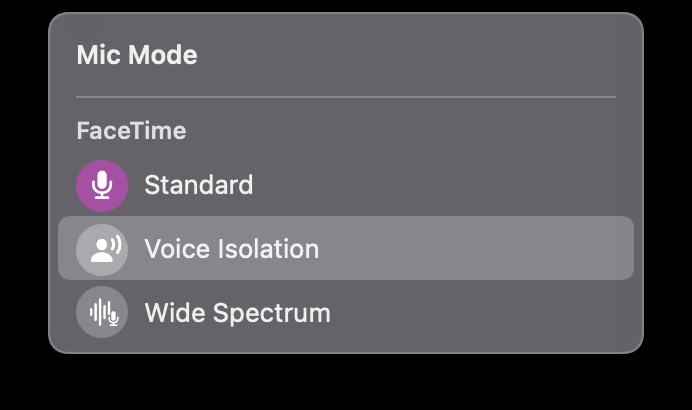
Go to OSX Daily to read How to Use Voice Isolation with FaceTime on Mac Voice Isolation mode allows FaceTime on the Mac to emphasize your voice while on FaceTime calls, thereby reducing background noises and sounds. This is a nice feature if you have some background noise going on that may drown out your…
-
How to Edit & Enhance Voice Memos on Mac
-
How to Trim Voice Memos on iPhone & iPad
-
How to Check Your Headphone Volume Level In Real Time to Keep Your Ears Safe with iPhone & iPad
-
How to Mute iPhone & Turn Off All Sound
Go to OSX Daily to read How to Mute iPhone & Turn Off All Sound Whether you’re spending time with someone special, in class, trying to focus, or you’re in the middle of an important meeting, you might want to mute your iPhone and completely silence all phone calls & notifications, so that you don’t…
-
How to Find What Song is Playing with iPhone Music Recognition
-
How to Improve Recording Quality of Voice Memos on iPhone & iPad
-
How to Turn a Voice Memo into Ringtone on iPhone